 Talk Coach
A speaking companion, throughout your day.
Morning, afternoon or evening: make room for a little conversation.

Make speaking part of everyday life
Relax and put your own thoughts into words.
A little conversation in the morning
Start with a news-based topic, share your views and hear the AI respond.
A coffee and a conversation
Discuss your views on the news and ask to change a topic that does not interest you.

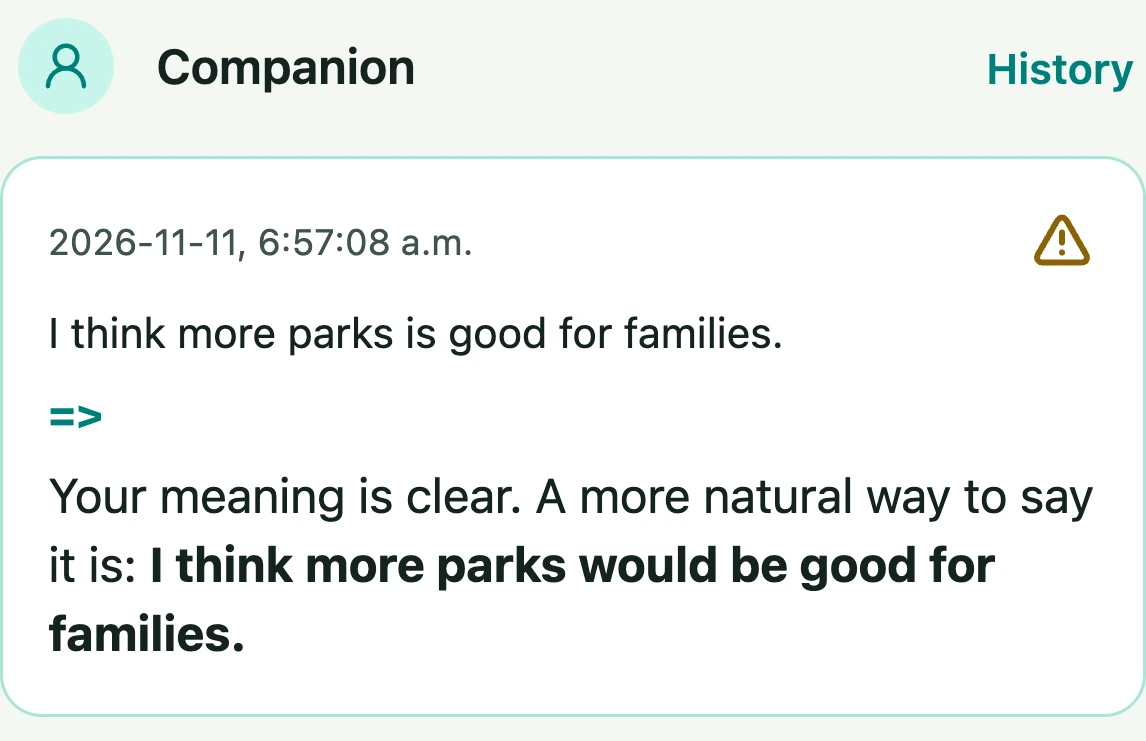
Conversation and expression suggestions
Explore more natural ways to express what you want to say.
A quiet moment in the evening
The coach responds to your views and asks follow-up questions to keep practice conversational.

Suggestions as you speak
Your selected Companion offers expression suggestions. After a completed conversation, revisit saved feedback and summaries in History.
Start with a topic whenever you feel like practising.
A few things to know
Which languages can I practise?
Choose from the supported languages; English is the default. None hides Companion suggestions. Internet and a microphone are required; service availability can vary.
How do I set it up?
Name your practice languages when setting up the agent, or choose Languages in Edit agent → Skills → Talk Coach. English is the default. Select more than one language to show tabs above Current story. The story, live voice and Companion’s suggested wording follow the selected language. Switching language stops the current conversation; saved comments stay in History.
How do I start?
Open the agent invitation, sign in or register as prompted, then choose the skill you need. Online services may use Alymo Credits; review the relevant settings.